
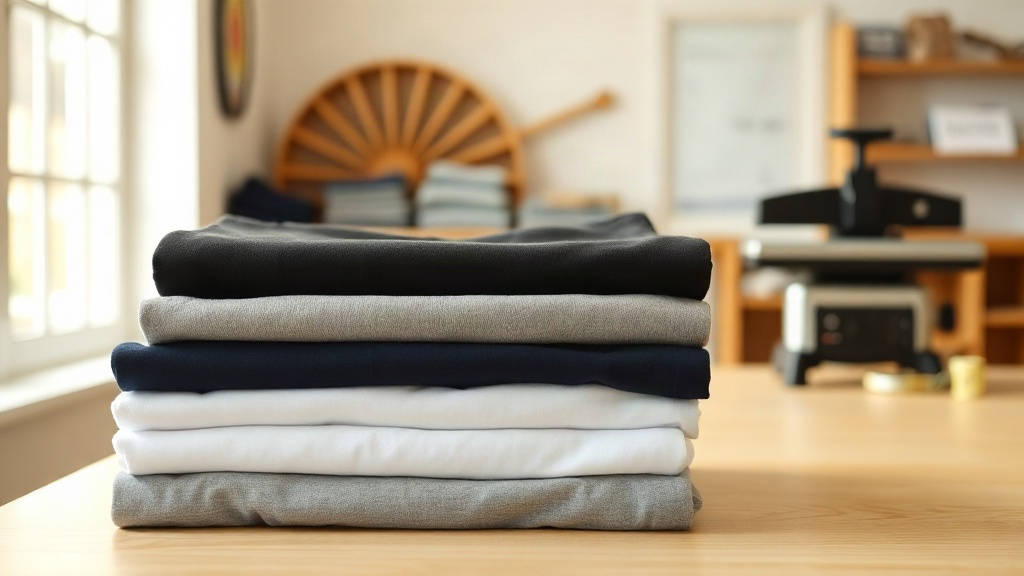
When a customer hands you a design and expects a soft, durable shirt that holds color wash after wash, the blank you choose matters as much as the artwork itself. That is why so many decorators keep coming back to Smart Blanks t-shirts. They are built as a working canvas: comfortable enough for everyday wear, structured enough to survive a heat press, a screen printing carousel, or an embroidery hoop without fighting back. If you are sourcing blanks for a shop, a team order, or a small brand launch, this guide walks through what actually matters when you evaluate Smart Blanks t-shirts before you commit to a bulk purchase.
Why the Blank Matters More Than Most People Think
Walk through any print shop and you will hear the same story. A customer loves the design, approves the mockup, then returns two weeks later because the shirt shrank, pilled, or cracked along the print line. Nine times out of ten the culprit is not the ink or the press settings. It is the blank underneath.
A good blank has to do several jobs at once. It needs a smooth, consistent surface so the ink sits evenly. It needs a fabric weight that feels substantial without turning stiff. It needs a cut that flatters real bodies, not just fit models. Smart Blanks t-shirts are designed with those three jobs in mind, which is why they show up in everything from brewery merch to school spirit wear.
What decorators look for in a blank
- Consistent sizing across dye lots so reorders do not surprise you
- Fabric that takes plastisol, water-based ink, and DTF transfers without ghosting
- Shoulder seams that sit flat under an embroidery hoop
- Ring-spun or combed cotton that stays soft after multiple washes
- Colorfastness, especially on darker shades where fading shows first
When you evaluate Smart Blanks t-shirts against that list, they hold up well on the basics. The fabric has a tight, even knit that resists the fuzzy edges you sometimes get on cheaper blanks, and the hems are finished cleanly enough that you are not trimming loose threads before a job.
Fabric, Weight, and Hand Feel
The first thing you notice handling a Smart Blanks t-shirt is the hand feel. It is soft without being flimsy, and it has enough body that it does not cling awkwardly in humid weather. That balance comes from the yarn and the knit, not from a chemical softener that washes out after a few cycles.
If you are comparing blanks side by side, pay attention to three numbers: fabric weight, yarn count, and shrinkage. Lighter weights around 4.2 to 4.5 ounces work well for warm-weather giveaways and retail-style tees. Heavier weights in the 5.5 to 6.1 ounce range feel more premium and hold up better for workwear or anything that will see hard use.
How Smart Blanks t-shirts handle printing
Screen printers tend to care about one thing above all: does the shirt lay flat and stay flat? Smart Blanks t-shirts do, which keeps registration tight on multi-color jobs. For DTF and DTG, the surface accepts the transfer evenly, and the print does not sit on top of the fabric like a plastic patch.
Embroidery is where a lot of blanks fall apart. Cheap shirts pucker around dense logos because the fabric cannot support the stitch count. A sturdier blank with a stable weave handles that load without pulling. If you run a lot of left-chest logos or full-back embroidery, test one shirt before you run the whole order. It takes ten minutes and saves a reprint.
Fit, Sizing, and the Reorder Problem
Nothing frustrates a shop more than a customer who loved the first run and hates the second because the fit changed. Sizing consistency is the quiet hero of any blank program. Smart Blanks t-shirts are cut to a standard unisex profile that most buyers recognize immediately: roomy through the chest, not boxy at the waist, with sleeves that hit at a natural length.
A few practical notes from real orders:
- Order one size up if your customer base skews toward a relaxed, oversized look.
- Wash-test a sample before quoting shrinkage to a client. Most cotton blanks settle after the first wash, then stay stable.
- Keep a small buffer of the top three sizes. Medium, large, and extra large move fastest in almost every market.
- Store reorders by dye lot when you can. Color matching between lots is usually close, but close is not identical.
If you are building a size run for a team or event, map out your quantities before you order. It is far cheaper to add a few extra larges up front than to pay for a short reprint later.
Choosing Colors That Actually Sell
Color selection is where a lot of first-time buyers overthink things. The truth is that a small, well-chosen palette outsells a huge one almost every time. Start with the neutrals your customers already wear: black, white, heather grey, navy, and maybe a warm sand or forest green for seasonal drops.
Smart Blanks t-shirts come in a range that covers those staples without drowning you in options. A tight palette also simplifies your inventory. Fewer SKUs mean less dead stock and faster fulfillment when an order comes in.
A quick color test before you commit
Print a white design on your darkest color and a dark design on your lightest. Look at both under daylight and under indoor lighting. If the contrast holds in both, you have a winner. If it disappears under one, your customers will notice too.
Ordering in Bulk Without Overbuying
Bulk pricing is tempting, but buying too deep on a color that does not move ties up cash and shelf space. A safer approach is to start with a moderate run, track which sizes and colors sell through, then reorder based on real numbers instead of guesses.
When you order Smart Blanks t-shirts, confirm a few details before checkout: the exact style number, the fabric weight, the size breakdown, and the expected lead time. If you are sourcing for a dated event, build in a cushion. Shipping delays happen, and a print shop with shirts in hand can still hit the deadline.
Care Instructions You Can Pass to Customers
Most print complaints trace back to laundry habits, not the shirt. Give your customers simple guidance and you will cut returns dramatically.
- Wash inside out in cold water
- Skip fabric softener, which coats the print and dulls it over time
- Tumble dry low or hang dry
- Iron around the print, never directly on it
These steps keep both the fabric and the decoration looking better for longer, which reflects well on your shop and on the blank you chose.
Frequently Asked Questions
Are Smart Blanks t-shirts good for screen printing?
Yes. The even knit and flat surface hold registration well, which makes them a solid choice for multi-color screen printing. Test one shirt with your standard mesh and ink combination before a large run so you can dial in your settings.
Do Smart Blanks t-shirts shrink after washing?
Like most cotton blanks, they may settle slightly after the first wash, especially in hot water. Cold washing and low-heat drying keep shrinkage minimal. Always wash-test a sample before quoting exact measurements to a customer.
What sizes are available in Smart Blanks t-shirts?
Availability varies by style and color, but the standard range typically covers small through extended sizes. Check the current size chart on the product page before you build a size run, since stock shifts with demand.
Can I use Smart Blanks t-shirts for embroidery?
They work well for left-chest logos, monograms, and moderate-density designs. For very dense or large embroidery, use a backing stabilizer and test one piece first to confirm the fabric handles the stitch count without puckering.
How should I store blank t-shirts before printing?
Keep them folded in a dry, dust-free space away from direct sunlight. Humidity can affect how fabric behaves under a heat press, so let shirts acclimate to your shop environment before you start a production run.